Sports Award Certificate Maker
Make a certificate for every player in a few minutes. Pick the sport and the award, type the names, and print them all at once or download one PDF. It is free, with no account and no watermark, and the names you type stay in your browser.
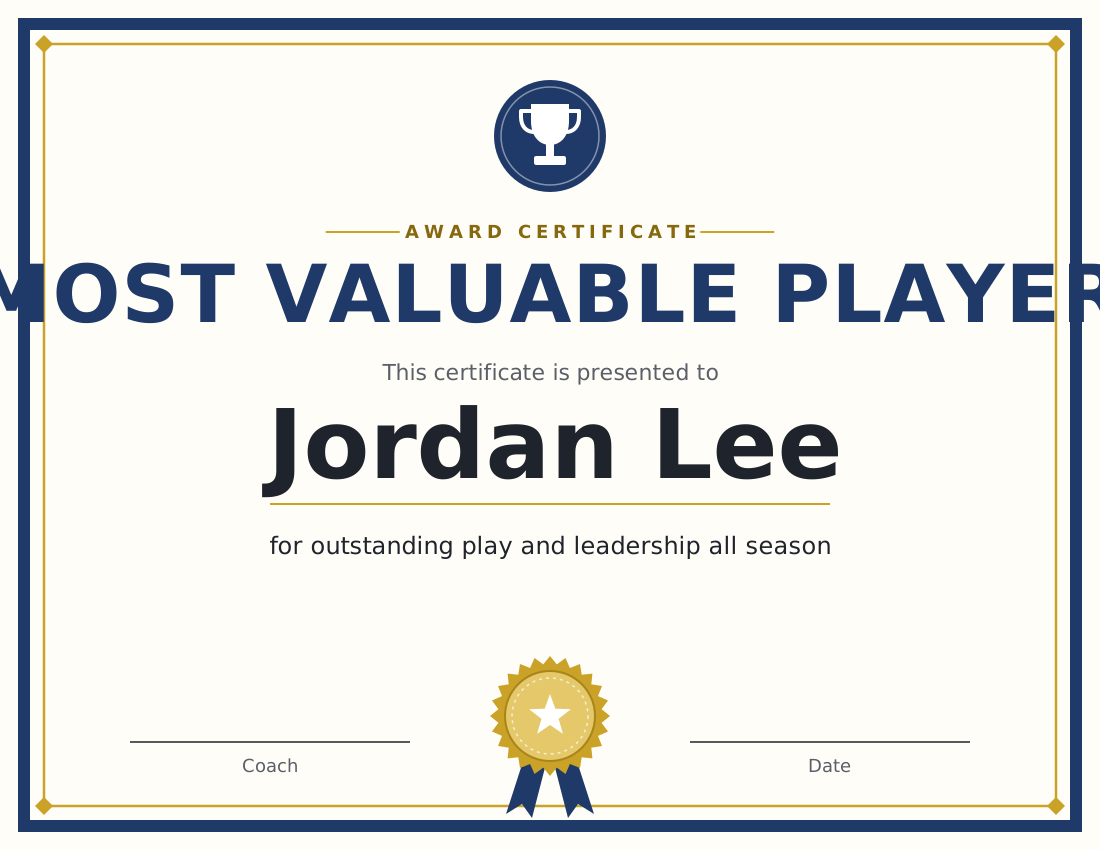
How to make certificates for a whole team
- Pick the sport. It sets the emblem at the top of the certificate and adds that sport’s awards to the list.
- Pick an award, or choose Custom award and type your own title. Edit the line under the name to say what the player did.
- Type or paste the names, one per line. To give players different awards, put the award after a comma:
Maya Lopez, Most Improved Player. - Add the team or event, the date and the coach’s name, and pick your team colour.
- Click Download PDF for one file with every certificate, one per page, or Print to send them all to your printer. Download PNG saves the certificate on screen as an image for a team chat or a social post.
Award ideas for any sport
These awards work in every sport, so a team can give one to every player. Each has a line for the certificate that you can keep or rewrite.
Most Valuable Player
The player who made the biggest difference to the team’s results. Usually one per team per season.
On the certificate: “for outstanding play and leadership all season”
Tournament Champion
For the winning team or player. Put the event name on the certificate so it says which tournament.
On the certificate: “for winning the tournament”
Runner-Up
For the team or player that reached the final and lost it.
On the certificate: “for a second-place finish”
Most Improved Player
For the player who finished the season far better than they started it. Often the award that means the most to younger players.
On the certificate: “for the biggest step forward this season”
Sportsmanship Award
For the player who shakes hands, helps opponents up and accepts every call.
On the certificate: “for playing fair and treating everyone with respect”
Coach’s Award
The coach’s own pick, usually for effort and attitude that never shows in the stats.
On the certificate: “for hard work and a great attitude at every practice”
Hustle Award
For the player who runs hardest and never takes a play off.
On the certificate: “for chasing every ball and never giving up”
Best Teammate
For the player who encourages others, shares the ball and celebrates their teammates.
On the certificate: “for lifting up everyone around you”
Leadership Award
For a captain, or for the player others follow without being asked.
On the certificate: “for leading by example in every game and every practice”
Rookie of the Year
For the best player in their first season with the team or in the sport.
On the certificate: “for an outstanding first season”
Team Spirit Award
For the loudest voice on the bench and the player who keeps everyone’s spirits up after a loss.
On the certificate: “for the energy and cheering that kept the team going”
Most Dedicated Player
For the player who is first to practice, last to leave, and works on their game at home.
On the certificate: “for showing up early and giving full effort every time”
Perfect Attendance
For every player who did not miss a single practice or game.
On the certificate: “for making every practice and every game”
Certificate of Participation
For every player on the roster, so nobody goes home without a certificate.
On the certificate: “for being part of the team this season”
Awards by sport
Each sport page has award ideas for what players in that sport do: rebounds and defense in basketball, goals and saves in soccer, aces and digs in volleyball.
The maker also has emblems for hockey, tennis, swimming, track and field, cheer, golf, chess and esports: pick the sport in the first box.
What to write on a sports award certificate
- The award, in a few words: “Most Improved Player”, “Golden Glove”.
- The player’s name as they use it, spelled the way they spell it.
- One line saying what they did. “For diving after every loose ball” tells a player more than “for great effort”.
- The team and the season, so the certificate still makes sense years later.
- A signature and the date. The certificate has a line for the coach to sign, with the date printed beside it.
When every player gets an award, players compare them, so give each certificate a line that only fits that player.
Running the tournament too?
Easy Bracket Maker also makes the bracket: single elimination, double elimination or round robin, with seeds, byes and scores. When the final result is in, the winner screen links here with the champion’s name and the event filled in.
Open the bracket maker →Questions
Is the certificate maker free?
Yes. Every award, colour and download is free, with no account, no watermark and no limit on how many certificates you make.
Can I make a certificate for every player at once?
Yes. Type or paste the names, one per line, and each name becomes a certificate. Download PDF puts them all in one file, one per page, and Print sends them all to the printer.
Can each player get a different award?
Yes. Put the award after the name, separated by a comma: “Maya Lopez, Most Improved Player”. Awards from the list bring their own line under the name. For your own wording, add a second comma and the line: “Sam Patel, Hardest Worker, for never missing a practice”.
Can I print blank certificates?
Yes. Empty the names box and the certificate prints with a blank line for the name, to fill in by hand. Set the number of copies in the print dialog.
What paper should I print on?
Choose US Letter or A4 in the maker so the PDF and the printout match your paper. Certificates print landscape. Plain paper works, and card stock feels more like an award; check what thickness your printer takes before printing a whole team.
Are the names I type saved or sent anywhere?
No. The certificates are drawn in your browser, and the names are not sent to us or stored. Reloading the page clears them, so download the PDF before you close it.
Can I use my team colours?
Yes. The team colour sets the border, the emblem, the award title and the ribbon. With a very pale colour the text stays dark so it is still readable.